



 Orders
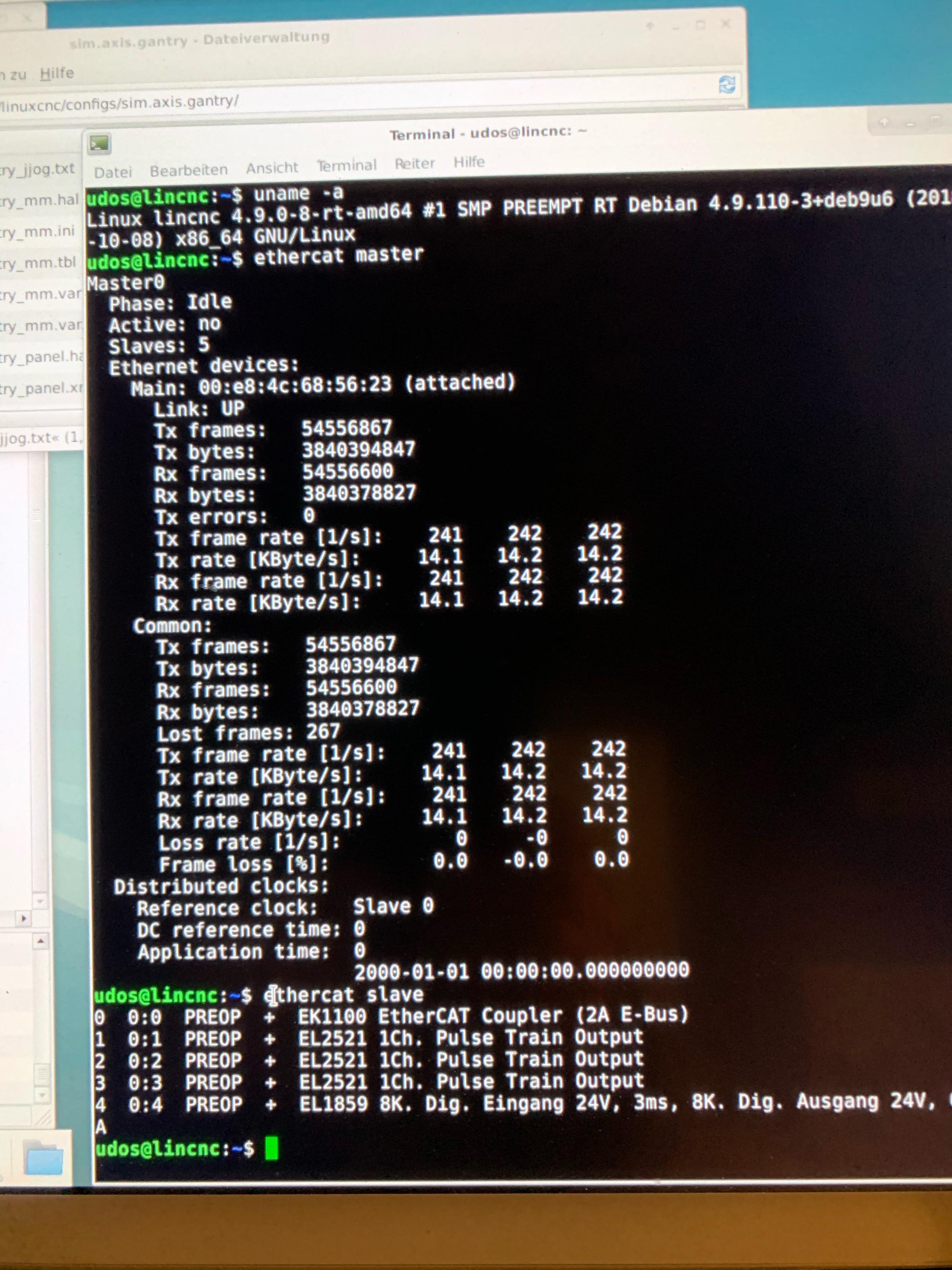
EtherCAT is the fieldbus protocol of choice for high-performance motion control. It runs over standard Ethernet hardware, achieves sub-millisecond cycle times, and supports deterministic synchronization across dozens of axes. Running an EtherCAT master on Linux is entirely practical — but it requires the right kernel, the right library, and a clear understanding of the setup sequence.
This guide walks through the full stack: patching the Linux kernel for real-time behavior, building SOEM from source, configuring your network interface, and writing a working cyclic loop in C.
Why Linux, and Why PREEMPT-RT
Stock Linux is not a real-time operating system. The scheduler can defer a process for milliseconds at a time, which is catastrophic for a motion controller expecting a 1 ms cycle. The PREEMPT-RT patch converts most of the kernel's non-preemptible sections into preemptible ones, bringing worst-case latency down to the low-microsecond range on typical x86 hardware.
For EtherCAT, this matters because the master must send and receive Ethernet frames in a tight, periodic loop. Missing a deadline by even a few hundred microseconds can trigger slave faults, cause servo drives to fault out, or corrupt position data. PREEMPT-RT is not optional for production systems — it is the baseline.
Hardware Requirements
You need a machine with a dedicated Ethernet port for EtherCAT. The protocol bypasses the kernel's TCP/IP stack entirely and writes raw Ethernet frames directly to the NIC, so the port you use for EtherCAT cannot simultaneously carry regular network traffic.
- Any standard Intel or Realtek NIC works. You do not need special hardware.
- A dedicated PCIe NIC is strongly recommended over a built-in motherboard port — it avoids IRQ sharing with other peripherals.
- For timing-critical applications, look at NICs with hardware timestamping support (e.g., Intel I210, I350).
- A separate NIC or USB-to-Ethernet adapter on the same machine handles your regular network traffic.
Installing the PREEMPT-RT Kernel
1. Download the Kernel and RT Patch
Match the patch version exactly to the kernel version. Check kernel.org and mirrors.edge.kernel.org/pub/linux/kernel/projects/rt/ for matching pairs.
wget https://cdn.kernel.org/pub/linux/kernel/v6.x/linux-6.6.30.tar.xz
wget https://mirrors.edge.kernel.org/pub/linux/kernel/projects/rt/6.6/patch-6.6.30-rt30.patch.xz
tar xf linux-6.6.30.tar.xz
cd linux-6.6.30
xzcat ../patch-6.6.30-rt30.patch.xz | patch -p1
2. Configure the Kernel
Copy your current running config as a baseline, then enable the full preemption model:
cp /boot/config-$(uname -r) .config
make olddefconfig
make menuconfig
In menuconfig, navigate to General Setup → Preemption Model and select Fully Preemptible Kernel (Real-Time). Disable CONFIG_DEBUG_INFO and CONFIG_KASAN to keep build time and runtime overhead reasonable.
3. Build and Install
make -j$(nproc) bindeb-pkg
sudo dpkg -i ../linux-image-6.6.30-rt30_*.deb
sudo update-grub
reboot
After reboot, confirm you are running the RT kernel:
uname -r
# Expected output: 6.6.30-rt30
Verify preemption model:
cat /sys/kernel/realtime
# Expected: 1
Building SOEM from Source
SOEM (Simple Open EtherCAT Master) is a lightweight, portable EtherCAT master library written in C. It handles frame construction, slave state machines, distributed clocks, and process data exchange. It does not require a kernel module — it opens a raw socket directly.
sudo apt install git cmake build-essential
git clone https://github.com/OpenEtherCATsociety/SOEM.git
cd SOEM
mkdir build && cd build
cmake ..
make -j$(nproc)
sudo make install
The install copies libsoem.a to /usr/local/lib and headers to /usr/local/include/soem. The slaveinfo and simple_test example binaries end up in build/test/linux/.
Network Interface Setup
SOEM opens the EtherCAT port as a raw socket. The interface must be up, but it should have no IP address assigned (to prevent the kernel from trying to handle the EtherCAT frames as IP traffic).
Find the interface name for your EtherCAT NIC:
ip link show
Bring it up without an IP:
sudo ip link set enp3s0 up
sudo ip addr flush dev enp3s0
Replace enp3s0 with your actual interface name. On older distributions you may see eth1 or similar; check dmesg | grep -i eth after plugging in the cable.
SOEM needs raw socket access, which requires either running as root or granting the binary the cap_net_raw capability:
# Option 1: run as root (simpler for development)
sudo ./slaveinfo enp3s0

# Option 2: grant capability to the binary (better for production)
sudo setcap cap_net_raw+ep ./slaveinfo
./slaveinfo enp3s0
Discovering Slaves with slaveinfo
With slaves powered and the cable connected, run slaveinfo to enumerate the EtherCAT network:
sudo ./slaveinfo enp3s0
Expected output for a drive network looks like:
SOEM (Simple Open EtherCAT Master)
Slaveinfo
Starting slaveinfo
ec_init on enp3s0 succeeded.
3 slaves found and configured.
Slave:1
 Name:EPOS4 Compact 50/8 EtherCAT
 Output size: 48bits
 Input size: 48bits
 State: 4
 Delay: 0[ns]
 Has DC: 1
Slave:2
 ...
If you see 0 slaves found, check: cable connection, slave power, and that you specified the correct interface name. Most slave discovery failures are one of these three.
Writing a Minimal Cyclic Loop
Here is a complete, working cyclic loop in C. It initializes SOEM, configures the network, maps process data, and runs a 1 ms cyclic loop for 5 seconds before shutting down cleanly.
#include <stdio.h>
#include <stdlib.h>
#include <string.h>
#include <unistd.h>
#include <time.h>
#include "ethercat.h"

#define CYCLE_NS 1000000  /* 1 ms in nanoseconds */

static void timespec_add_ns(struct timespec *ts, long ns)
{
    ts->tv_nsec += ns;
    if (ts->tv_nsec >= 1000000000L) {
        ts->tv_nsec -= 1000000000L;
        ts->tv_sec++;
    }
}

int main(int argc, char *argv[])
{
    if (argc < 2) {
        fprintf(stderr, "Usage: %s <ifname>\n", argv[0]);
        return 1;
    }

    char IOmap[4096];
    struct timespec ts;
    int cycle_count = 0;

    /* Initialize SOEM on the given interface */
    if (!ec_init(argv[1])) {
        fprintf(stderr, "ec_init() failed — check interface name and permissions\n");
        return 1;
    }
    printf("ec_init succeeded\n");

    /* Enumerate and configure all slaves */
    if (ec_config_init(FALSE) <= 0) {
        fprintf(stderr, "No slaves found\n");
        ec_close();
        return 1;
    }
    printf("%d slaves found\n", ec_slavecount);

    /* Map process data objects to IOmap buffer */
    ec_config_map(&IOmap);

    /* Wait for all slaves to reach SAFE-OP state */
    ec_statecheck(0, EC_STATE_SAFE_OP, EC_TIMEOUTSTATE * 4);

    /* Request OP state for all slaves */
    ec_slave[0].state = EC_STATE_OPERATIONAL;
    ec_send_processdata();
    ec_receive_processdata(EC_TIMEOUTRET);
    ec_writestate(0);
    ec_statecheck(0, EC_STATE_OPERATIONAL, EC_TIMEOUTSTATE);

    if (ec_slave[0].state != EC_STATE_OPERATIONAL) {
        fprintf(stderr, "Slaves did not reach OP state\n");
        ec_close();
        return 1;
    }
    printf("All slaves in OP state — starting cyclic loop\n");

    /* Cyclic loop: run for 5000 cycles (5 seconds at 1 ms) */
    clock_gettime(CLOCK_MONOTONIC, &ts);
    while (cycle_count < 5000) {
        timespec_add_ns(&ts, CYCLE_NS);
        clock_nanosleep(CLOCK_MONOTONIC, TIMER_ABSTIME, &ts, NULL);

        ec_send_processdata();
        ec_receive_processdata(EC_TIMEOUTRET);

        /* Access slave I/O here via ec_slave[n].inputs / ec_slave[n].outputs */

        cycle_count++;
    }

    printf("Cyclic loop done — %d cycles completed\n", cycle_count);

    /* Request INIT state for clean shutdown */
    ec_slave[0].state = EC_STATE_INIT;
    ec_writestate(0);
    ec_close();

    return 0;
}
Compile it against SOEM:
gcc -o cyclic_master cyclic_master.c -lsoem -lpthread
sudo ./cyclic_master enp3s0
Common Pitfalls
Permission denied on socket open. SOEM requires raw socket access. Run as root or set the cap_net_raw capability on the binary as shown above. A permission error always manifests as ec_init() returning 0.
Wrong interface name. On modern kernels, interface names are predictable but not always obvious (enp2s0, eno1, eth0 depending on your system). Use ip link show and confirm the right port with ethtool enp3s0 | grep "Link detected".
Slaves stuck in PRE-OP. If ec_statecheck times out waiting for SAFE-OP or OP, a slave has a configuration error. Call ec_readstate() and inspect ec_slave[n].ALstatuscode — the AL status code tells you exactly what the slave rejected (usually a PDO mapping mismatch or a missing SDO configuration).
Jitter exceeding cycle time. On a stock kernel, clock_nanosleep jitter can reach 500 µs or more. On PREEMPT-RT, it should stay under 50 µs on typical hardware. If you are still seeing high jitter on an RT kernel, check for CPU frequency scaling (cpupower frequency-set -g performance) and disable the irqbalance daemon, which moves IRQs between cores and can disrupt the EtherCAT interrupt.
ec_receive_processdata returning WKC errors. The working counter (WKC) must equal ec_group[0].outputsWKC * 2 + ec_group[0].inputsWKC. A mismatch means at least one slave did not respond in this cycle. Occasional single-cycle misses are tolerable; persistent WKC errors indicate a cabling problem or a slave that has faulted out of OP.
Get EtherCAT Running on Your Machine — With Expert Help
Setting up EtherCAT from scratch can take days. Lichi Robotics provides complete EtherCAT Master solutions for Linux — including PREEMPT-RT setup, SOEM integration, and servo commissioning.
Need help right now? WhatsApp us — we respond within hours.